Timero: projects, time tracking, payroll and invoices in one place.
For teams that sell hours: agencies, IT outsourcing, consultancies, accounting and law firms
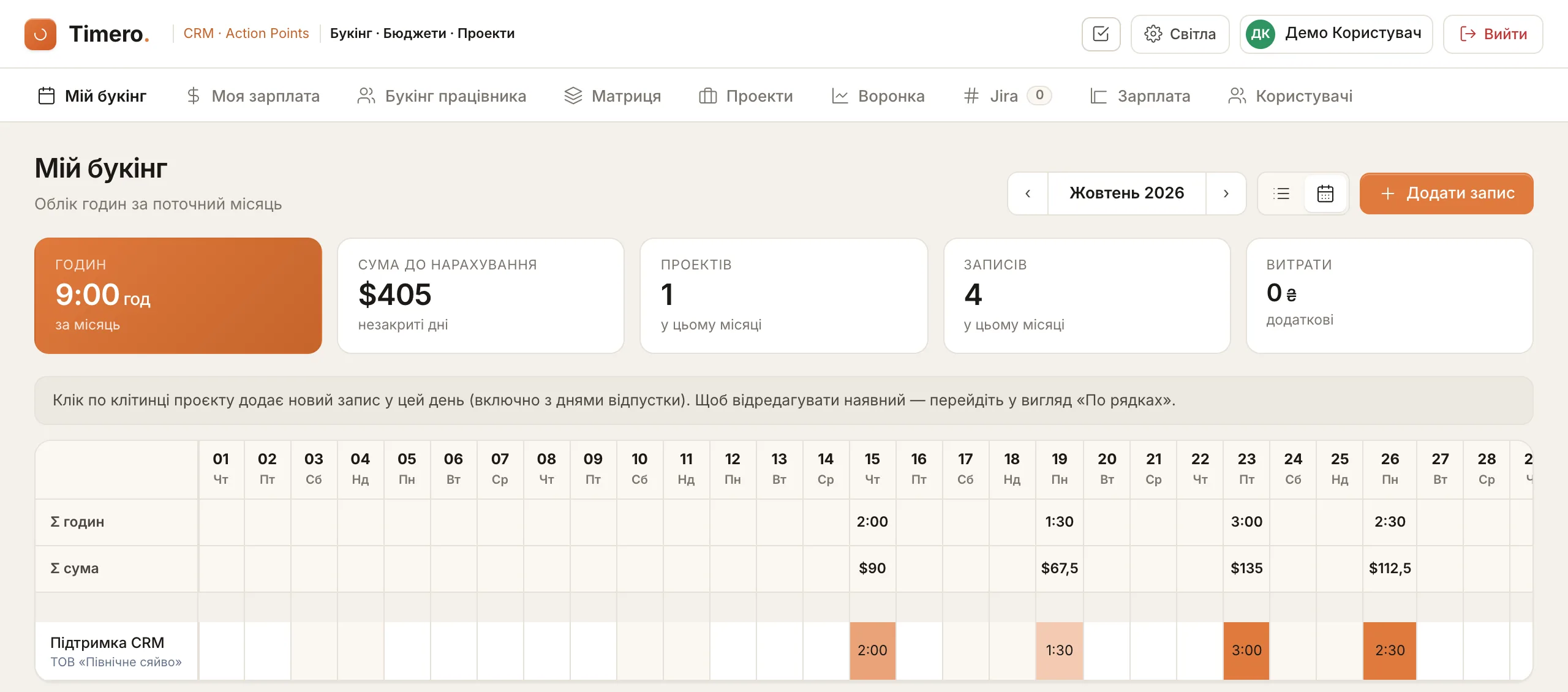
Timero is our own SaaS for agencies, consultancies, IT teams, accounting and law firms: anyone who sells their team's time. Projects and tasks, time tracking, payroll, clients, correspondence and documents live in one system instead of a tracker, a payroll spreadsheet, an inbox and a folder of contracts.
The interface is in Ukrainian; English and all EU languages arrive in the next release. There is a free trial; pricing on request. The live demo resets every 3 hours, so try anything.
What is inside
CRM and documents
Clients and prospects, contracts, appendices, acts, invoices, reconciliation acts and other documents, with versions, preview and a full history per client.
Timero reads your Gmail and suggests attaching emails and attachments to the right client or lead. Nothing reaches the CRM until you confirm it.
Sales pipeline
Leads on a board by stage, deferred leads, and an email to the sales team about every new lead.
Action Points
Tasks per client, lead or process, with owners, deadlines and quick date picks; overdue items stand out.
Time tracking
Hours by project and day in a calendar, spreading hours over several days, vacations, extra expenses and a team matrix for any period. Email reminders to anyone who hasn't logged hours. CSV import and export.
Payroll
Accruals from hourly rates with effective dates, the USD to UAH rate per period, adjustments and a PDF report for every employee. Rates import and export in Excel.
Projects, budgets and reports
Budgets and monthly hour caps, a timeline with statuses and owners, project reports by role with Excel paste, and an act appendix built from the hours matrix.
Roles and access
Workers see only their own time; admins and the CFO see the CRM, payroll and reports. Sign-in with corporate SSO (OpenID Connect) or a password. An admin can view the interface as another user.
Integrations and API
Jira worklogs in real time, Gmail, CSV import, and a REST API documented in OpenAPI. Any other system you use, connected by our team.
Screens
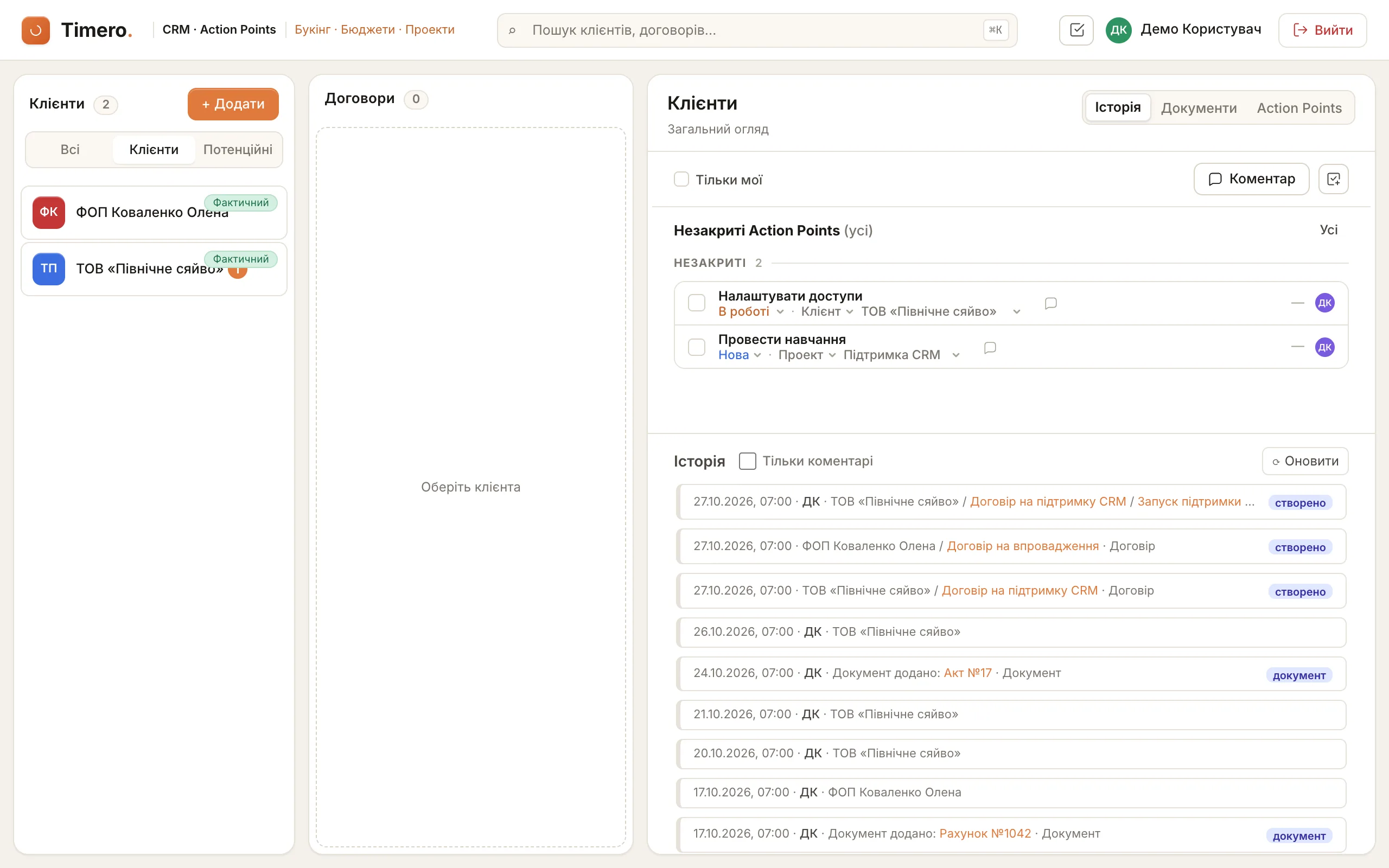
CRM
Clients, contracts, action points and the full history in one screen.
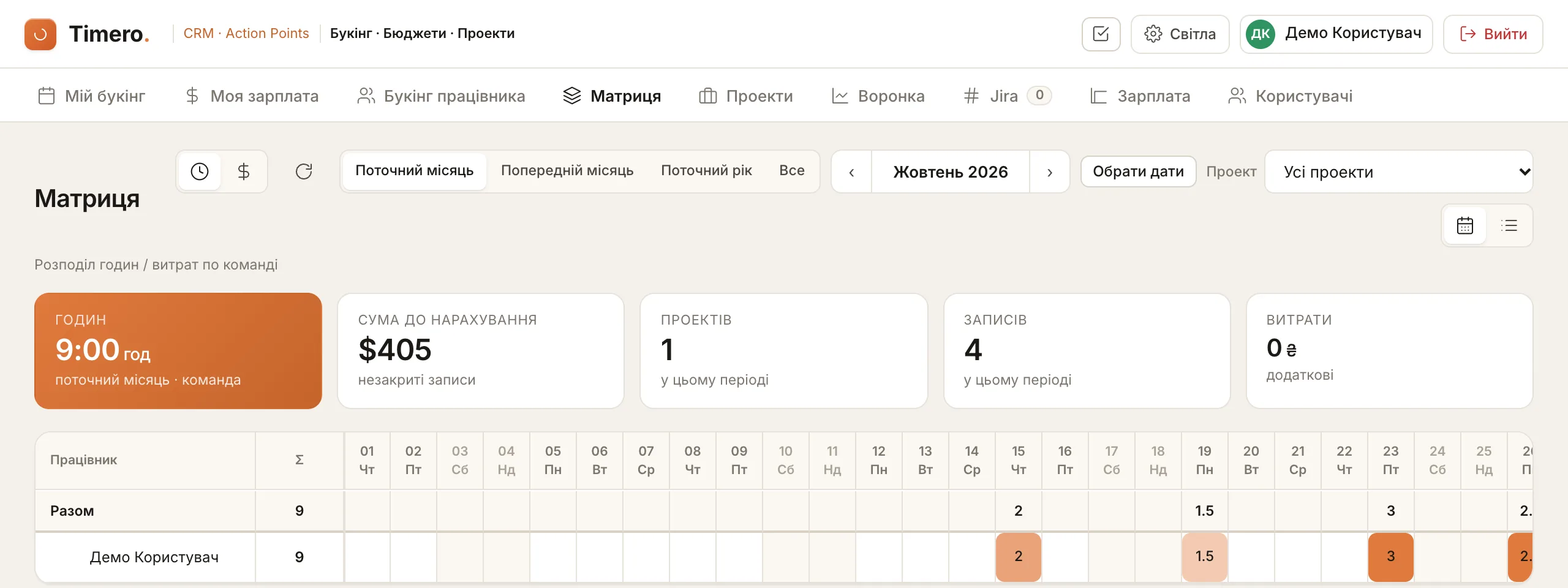
Matrix
The whole team’s hours and amounts, by day, for any period.
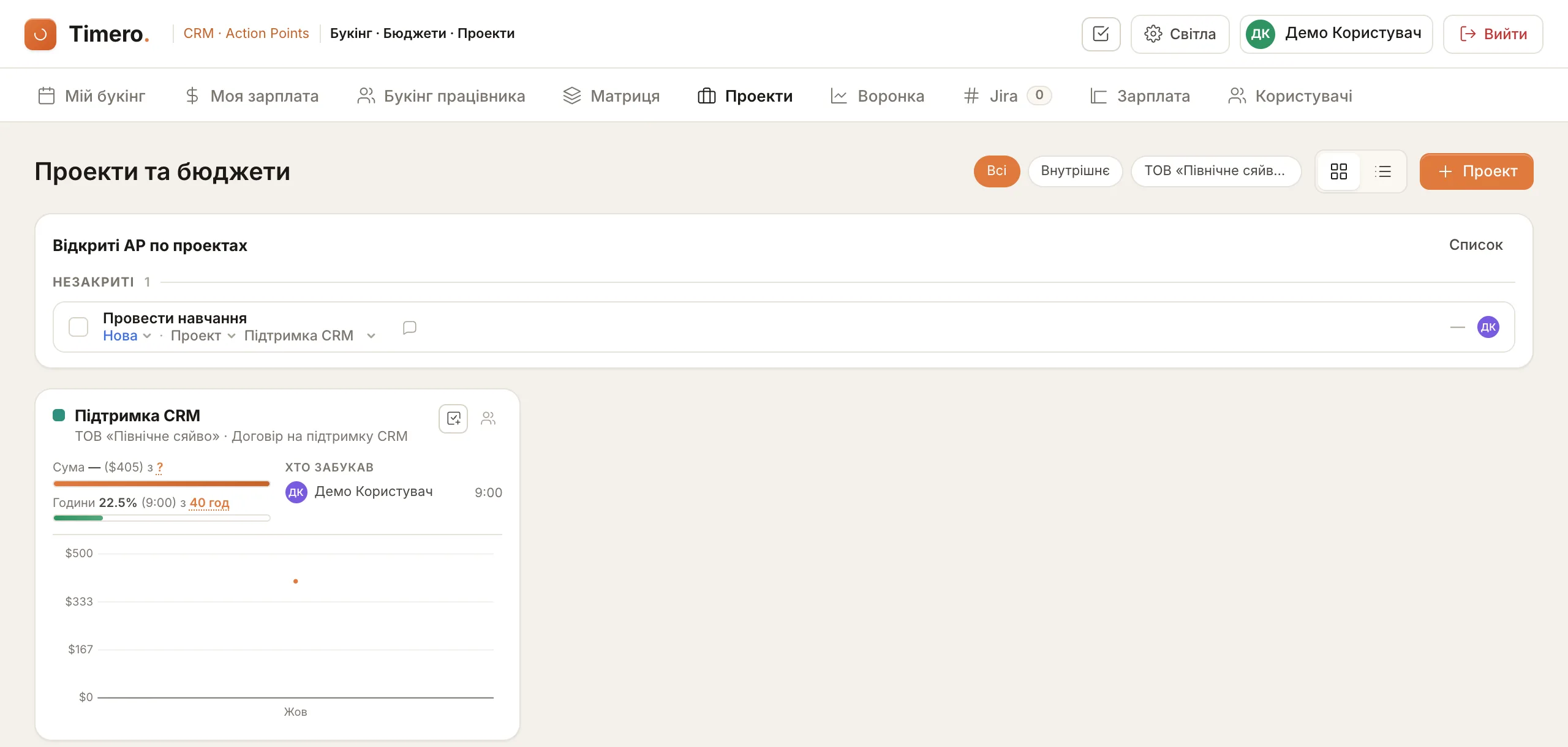
Projects and budgets
Spend against the plan, and who booked the time.
Who it is for
- Agencies and studios
- Consultancies
- IT and outsourcing teams
- Accounting and law firms
- Any team that bills by the hour or by the project
Integrations: what goes in and what comes out
| Available now | |
|---|---|
| Into Timero | Jira worklogs in real time (with matching rules); emails and attachments from Gmail after you confirm them; hours from CSV; rates from Excel; reports pasted from Excel |
| Out of Timero | Hours to CSV and rates to Excel; a payroll PDF per employee; an act appendix from the hours matrix; email reminders and new-lead notifications; a REST API documented in OpenAPI |
| On request | Any other system with an API, connected by our team: accounting, bank, CRM, service desk |
| Access | Sign-in with corporate SSO (OpenID Connect); REST API with a token |
| In the next release | An MCP server so AI assistants can read and update clients, contracts, documents, tasks and time (not payroll), with the user's own token |
How Timero is different
Task trackers and timers stop at the hours. Teams that sell time then turn those hours into payroll, acts and invoices, usually in a separate spreadsheet. Timero does that step in the same system.
| What you use now | What Timero adds |
|---|---|
| Worksection | Projects, tasks and time tracking, plus payroll from hourly rates, contracts, acts and invoices, and a CRM with the client's correspondence. Detailed comparison |
| Jira (with Tempo for time) | Jira stays for tasks. Worklogs flow into Timero automatically and become payroll, invoices and spend against the project budget, with no export to Excel. |
| A timer app (Clockify, Toggl and similar) | Time logged by project in a calendar and from Jira, plus projects, budgets, payroll and acts from the same hours. There is no start/stop timer yet. |
| Spreadsheets | One source of hours for the whole team, rates with effective dates, and a PDF report for every employee. |
In the next release
- Interface in English and all EU languages, 25 in total
- MCP server for AI assistants (no payroll access)
- API tokens in the profile
- Interactive demo tour
In development
- Project and team dashboards
- Gantt chart
- Kanban task board
- Integration with screen and activity trackers
Questions
How is Timero different from Worksection?
Both handle projects, tasks and time tracking. Timero adds what is usually done elsewhere: payroll from hourly rates, contracts, acts and client invoices, and a CRM with correspondence. Gantt, Kanban and dashboards are in development in Timero. Timero vs Worksection
Does Timero replace Jira?
No, it complements Jira. Tasks stay in Jira; worklogs flow into Timero automatically with matching rules. There they become payroll, invoices and spend against the budget, so you need neither a separate time-tracking add-on for Jira nor an export to Excel.
Does Timero have a timer?
Not a start/stop timer yet. Hours are logged in a calendar by day and project, can be spread over several days, imported from CSV or pulled from Jira automatically. Anyone who hasn't logged hours gets an email reminder.
How does Timero calculate hourly pay?
Each employee has hourly rates with effective dates. Timero multiplies booked hours by the rate for the period, converts at the USD to UAH rate for the period, and produces a PDF report for every employee.
Which languages is the interface available in?
Ukrainian today. The next release adds English and all EU languages, 25 in total.
How much does Timero cost?
Pricing is on request. There is a free trial, and the live demo opens as soon as you leave your email.
Try the live demo
Leave your email and the demo opens right away. The login is prefilled.
Your demo is ready.
Open the demoThe login is prefilled. Changes reset every 3 hours. Interface in Ukrainian.
We couldn't save your details, but the demo is yours.
Timero live demoLive demo: the login is prefilled, changes reset every 3 hours.
Open the live demo